The Dashboard Is the New Home Screen: A Driver's Guide to Car App Permissions
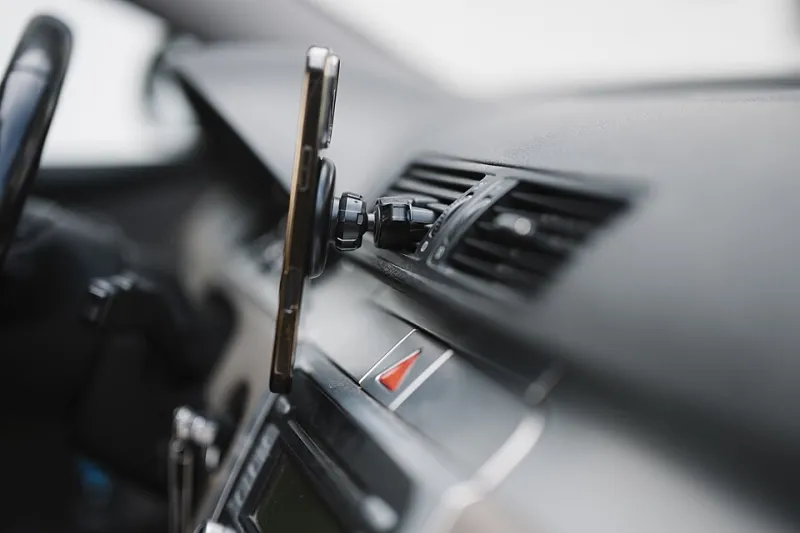
Photo: Shixart1985, CC BY 2.0, via Wikimedia Commons
Somewhere over the last few years, the center console stopped being a radio. It runs an app store now. Ford, GM, Hyundai, Tesla, Rivian, and most of the rest have spent the 2020s turning the dashboard into something closer to a tablet than a switch panel, and with that comes the entire appliance-grade mess of app permissions we spent a decade learning to distrust on phones.
The difference is that your phone rides in your pocket. Your car rides with your location, your driving history, your daily commute, and — increasingly — a direct line to the manufacturer’s cloud. That is a lot more surface area, and almost nobody reads the sheet before tapping Accept.
What a car app can actually reach
Modern dashboards are essentially two different platforms wearing the same screen. CarPlay and Android Auto mostly mirror what is already on your phone, which means the permission conversation is the one you already had in iOS or Android. Android Automotive OS is a different animal: it is a full operating system running in the car, with its own app store, its own account system, and its own permission model. If your vehicle runs that, you are installing apps into a computer that also happens to drive.
The categories you will see most often:
- Parking and tolling apps, which need location to be useful and will happily keep using it afterward.
- EV charging networks, which want your location, your payment method, your vehicle identification number, and often a charging history that doubles as a travel log.
- Music and podcast clients, which mostly behave but frequently request contacts and notification access for no obvious reason.
- Insurance and telematics apps, which want driving data by design. Some of them will sell you a discount for it.
- Diagnostics apps, which can read an astonishing amount through the OBD-II port or the vehicle’s built-in API, from tire pressure to trip logs.
A parking app that knows where you parked every day for a year is not just a convenience feature. It is a behavioral profile with a billing address attached.
The permission sheet nobody reads
On a phone, permissions arrive one at a time with a little explainer. In a car, they tend to arrive in a single block during onboarding, on a landscape screen, while you are sitting in a dealership parking lot with the salesperson hovering.
That is a deliberately bad moment to ask a human being to make a privacy decision. The practical move is to skip onboarding entirely, get the car home, and then go back into the vehicle settings and audit what you actually granted. Most automakers bury this under Settings → Privacy or Settings → Apps, and a few make you log into a web portal to see the full picture.
Who patches your dashboard, and when
Here is where the auto industry diverges sharply from the phone industry. A phone gets security updates for five to seven years if you bought well. A car gets over-the-air updates on a schedule that varies wildly by brand, model year, and even trim level — and some vehicles only update when they are plugged in, parked, and on Wi-Fi.
Two questions worth asking before you install anything:
- Does this app update independently of the vehicle firmware, or is it pinned to whatever build the car shipped with?
- What happens to this app after the free connected-services trial expires?
That second one catches people. Several brands bundle a data connection for the first year or three and then start charging. An app that depends on the car’s cellular modem can quietly stop working the day the trial lapses.
The used-car problem
If you buy used, assume the previous owner left accounts signed in. Vehicle infotainment systems are notorious for retaining profiles, paired phones, home addresses in the navigation favorites, and app sessions tied to somebody else’s email.
Before you drive off the lot, do a factory reset on the infotainment unit — not just a profile switch. Then verify that the connected-services account has been transferred out of the previous owner’s name. Dealerships are inconsistent about this, and a surprising number of cars on the road still have someone else’s Spotify and someone else’s garage door opener registered to them.
Third-party integrations are the sharp edge
Automakers have gotten better at securing the vehicle itself. The weaker link is the ecosystem of partner apps that get a slice of vehicle data through an API. A tire-shop app that reads your odometer is fine in isolation; the same app with access to location history and a live vehicle status endpoint is a different proposition.
Watch for apps that ask to link your vehicle account. That link is usually a long-lived OAuth token, which means revoking it later requires finding the right settings menu in two places — the app and the car — and most people only find one.
A pre-install checklist for US drivers
Before you install anything into your dashboard:
- Check whether the app is native to the car or just a CarPlay mirror of your phone app. The mirror is usually the safer bet because permissions stay on the device you control.
- Grant location as “while using” if the option exists. For parking and charging, it almost always does.
- Decline contacts and microphone unless the app’s core function plainly requires them.
- Turn off background data access for anything you only use occasionally.
- Once a year, open the vehicle’s privacy settings and delete apps you don’t recognize.
- After selling or trading in, factory reset the head unit and unlink the vehicle from your account first.
The question that actually matters
Ask yourself one thing: if this app’s data got bundled into a broker’s dataset tomorrow, what would it reveal about me?
For a music app, the answer is embarrassing but harmless. For a charging app that logs where you sleep, where you work, and how long you are gone each day, the answer is a genuinely useful burglary schedule. Treat the dashboard with the same suspicion you finally learned to apply to your phone — the screen is bigger, but the stakes are not smaller.