Dead Apps Walking: The Hidden Danger of Software Nobody Maintains Anymore
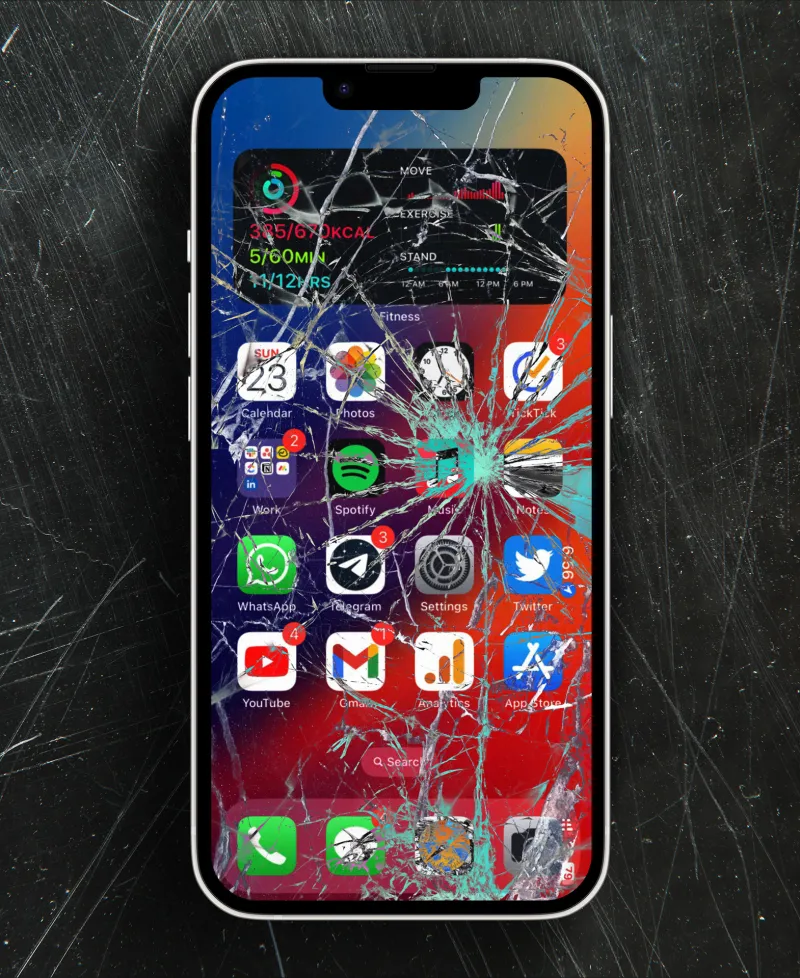
Photo: abandoned smartphone apps old phone screen cracked, via digimob.com.au
Open up your phone right now and scroll through your apps. Chances are, buried somewhere between your streaming services and your banking app, there's at least one application that hasn't been touched by its developer in a very, very long time. It still opens. It mostly works. But behind the scenes, it's basically a digital ghost — present, but not really alive.
Welcome to the app graveyard.
What Exactly Is a Zombie App?
A zombie app isn't one that's been deleted from the App Store or Google Play. Those are dead apps. Zombie apps are something stranger: they're still available, still downloadable, and still actively used by real people — sometimes millions of them — despite the fact that the developers have quietly walked away.
No bug fixes. No security patches. No updates to keep pace with new operating system versions. Just an app sitting there, slowly decaying while users keep relying on it.
This happens more often than you'd think. A developer launches something, builds a loyal user base, then moves on — either to a new project, a different career, or just life in general. Small indie apps are especially vulnerable to this. But it's not exclusively a small-developer problem. Even mid-sized companies let products wither when they stop generating revenue or when a team gets restructured.
The Security Problem Nobody's Talking About Loudly Enough
Here's where things get genuinely concerning. An app that hasn't been updated in two or three years isn't just a little behind the times — it's a potential security liability sitting directly on your device.
Software vulnerabilities get discovered constantly. When a developer is actively maintaining an app, they push patches to close those holes. When nobody's minding the store, those vulnerabilities just stay open. Indefinitely.
Think about what some of these abandoned apps still have access to: your contacts, your location history, your camera, your microphone, your stored passwords. Permissions you granted back when the app was shiny and new don't disappear just because the developer stopped caring. The data pipeline is still there. It's just unguarded.
Cybersecurity researchers have flagged this repeatedly. Outdated apps are a favored attack surface for bad actors precisely because they're predictable — known vulnerabilities, no patches coming, and a user base that hasn't thought twice about the app in months.
Compatibility Creep and the Slow-Motion Breakdown
Beyond security, there's the grinding frustration of compatibility issues. Apple and Google update their operating systems every year. Each update brings changes — some cosmetic, some deep under the hood — that apps need to account for. When developers are actively working, they adapt. When they're not, the cracks start showing.
At first it's subtle. A button doesn't render quite right. A loading screen takes a beat too long. Then it gets worse. Features stop working. Crashes become more frequent. Eventually the app becomes borderline unusable on a current device, but by that point, users are often stuck because there's nothing else quite like it.
This is especially painful for niche productivity tools, regional services, or apps built around specific workflows. If you're a small business owner who built your daily routine around a scheduling app that's no longer maintained, finding a replacement isn't just inconvenient — it could mean re-training staff, migrating data, and rebuilding processes from scratch.
Why Users Don't Just Move On
It seems obvious, right? App's abandoned, move to something better. Except it's rarely that clean.
For starters, users often don't know an app has been abandoned. There's no notification, no banner, no warning label on the App Store listing that says "Last updated: 847 days ago, developer unreachable." You have to dig into the listing to find that information, and most people never do.
Then there's the switching cost problem. People get comfortable. Muscle memory is real. If an app still technically functions — even imperfectly — a lot of users will stick with it rather than go through the hassle of finding, learning, and migrating to something new.
And sometimes, there genuinely isn't a good alternative. Certain apps filled very specific niches when they launched, and nothing comparable has come along since. Users aren't being irrational when they keep using these apps — they're just stuck.
What the Platforms Could Actually Do
Apple and Google have enormous leverage here, and it's fair to ask whether they're using it responsibly.
Both platforms have made some moves. Google has periodically purged apps from the Play Store that haven't been updated in years or that don't meet current API requirements. Apple has done similar culls. But these efforts have been inconsistent, opaque, and often feel more like housekeeping than genuine consumer protection.
What would actually help? A few things come to mind.
First, clear labeling. If an app hasn't received a meaningful update in over 18 months, users should see that prominently on the store listing — not buried in small print, but front and center. Informed users can make better decisions.
Second, mandatory security disclosure. If an app is still collecting sensitive data but hasn't been patched in years, that's something users deserve to know. Platforms could require developers to certify security compliance on a rolling basis or have their apps flagged accordingly.
Third, a formal sunset process. Right now, developers can just walk away without any obligation to their users. Platforms could require that abandoned apps either be transferred to active maintainers, open-sourced so the community can keep them alive, or formally sunset with advance notice to users so they have time to find alternatives.
None of this is technically complicated. It's a policy question, not an engineering one.
What You Can Do Right Now
While we wait for the platforms to step up, there are practical steps you can take to protect yourself.
Start by auditing your apps. Go through your phone and check the "Last Updated" date on anything you use regularly. If it's been more than a year — especially for apps that have access to sensitive data — it's worth thinking seriously about whether you should keep using it.
Revoke unnecessary permissions. On both iOS and Android, you can manually pull back permissions from apps that don't need them. An abandoned note-taking app doesn't need access to your location. Cut that connection.
Stay alert to unusual behavior. If an app you've used forever suddenly starts crashing more, behaving strangely, or triggering weird permission requests, take that seriously. Compromised or exploited apps can behave erratically.
And when you find a zombie app you rely on, start the search for a replacement now — before the app becomes completely unusable and you're scrambling under pressure.
The Bigger Picture
The app ecosystem is extraordinary in what it's made possible. But it was built with a lot of optimism about how it would be maintained, and that optimism hasn't always been warranted. Millions of Americans are using software that's essentially on life support, and neither they nor the platforms treating it as someone else's problem.
Zombie apps are a real issue — not a theoretical one. The sooner the industry treats them that way, the safer and less frustrating the mobile experience gets for everyone.